
Vote for an Arena and Match Length
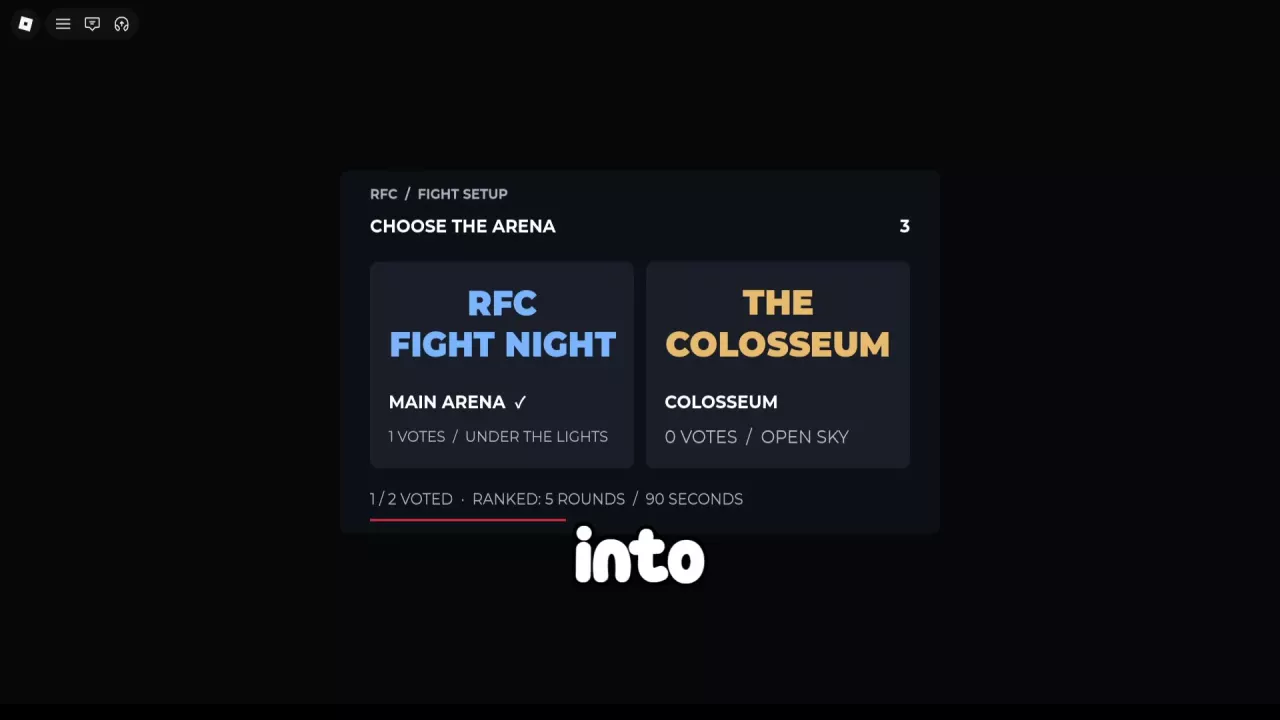
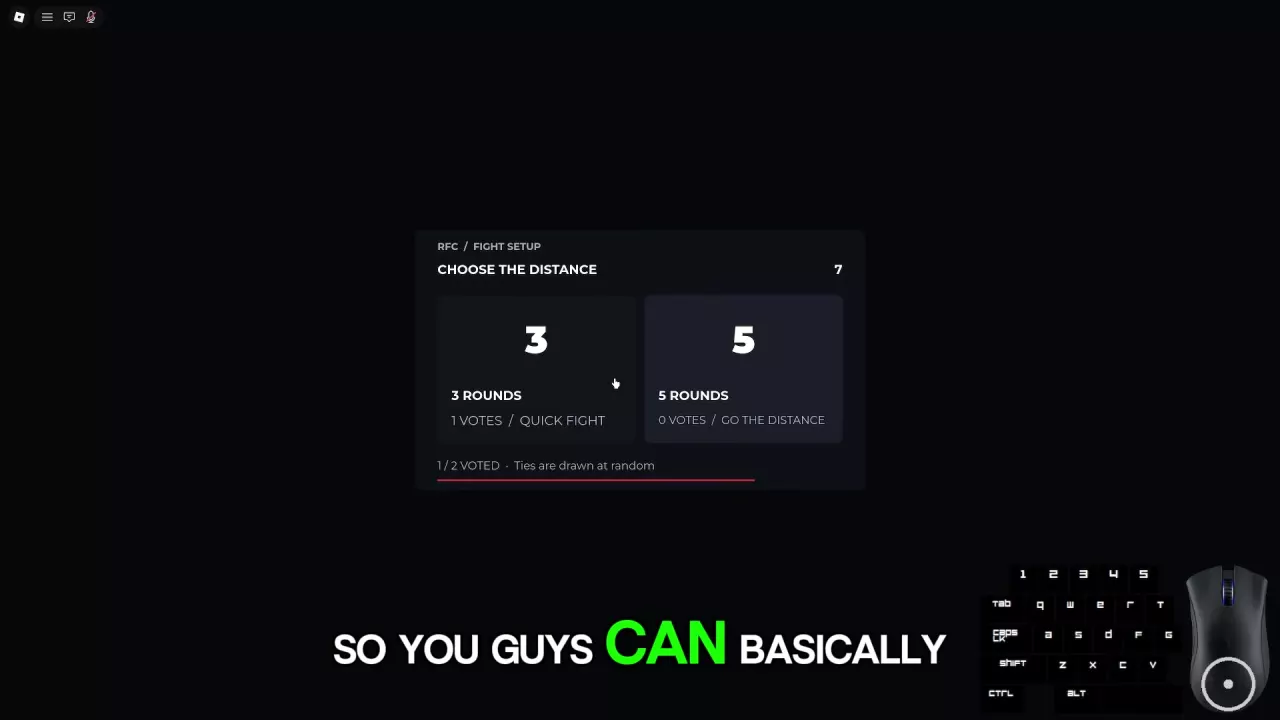
When Fight Setup opens, choose your arena and, in Exhibition, vote on the match length.
- Select Main Arena or Colosseum under Choose the Arena.
- In Exhibition’s Choose the Distance, select 3 Rounds — Quick Fight or 5 Rounds — Go the Distance.
- Check the votes under each option and wait for setup to finish. 1/2 Voted means one of the two fighters has voted; the countdown tracks the remaining voting time.
Exhibition resolves tied arena and distance votes randomly. Ranked also offers arena voting, with its five-round, 90-second rules displayed in setup.
For a shorter scheduled Exhibition, vote for three rounds. Choose five when you want a longer bout with more rounds to contest. For the setting, choose Main Arena’s arena-light presentation or Colosseum’s outdoor stone venue; Colosseum fights still take place inside a cage.
-
Main Arena
- Presentation
- RFC Fight Night (Choose the Arena)
- Setting
- Under the Lights (Choose the Arena)
-
Colosseum
- Presentation
- The Colosseum (Choose the Arena)
- Setting
- Open Sky (Choose the Arena)
- Environment
- An outdoor stone arena with a fenced entrance passage and spectators. Bouts take place inside the cage.
Know Your Round Count and Timer
| Match context | Scheduled rounds | Round timer |
|---|---|---|
| General game description | 3 | 60 seconds |
| Exhibition | Vote for 3 or 5 | One-minute rounds in Exhibition examples, including a five-round bout |
| Ranked | 5 | 90 seconds |
Read your setup rules before the opening bell. The general three-round description does not apply to every match type. For choosing a queue or rule set, see fight modes.
During a fight, R1, R2, and later labels identify the current round. The adjacent countdown shows how much time remains in that round: 1:00 is one minute and 1:30 is 90 seconds. A finish can end the match before the scheduled rounds are complete; a fight that reaches its scheduled end can go to a decision.
Read Tale of the Tape and Skip the Intro
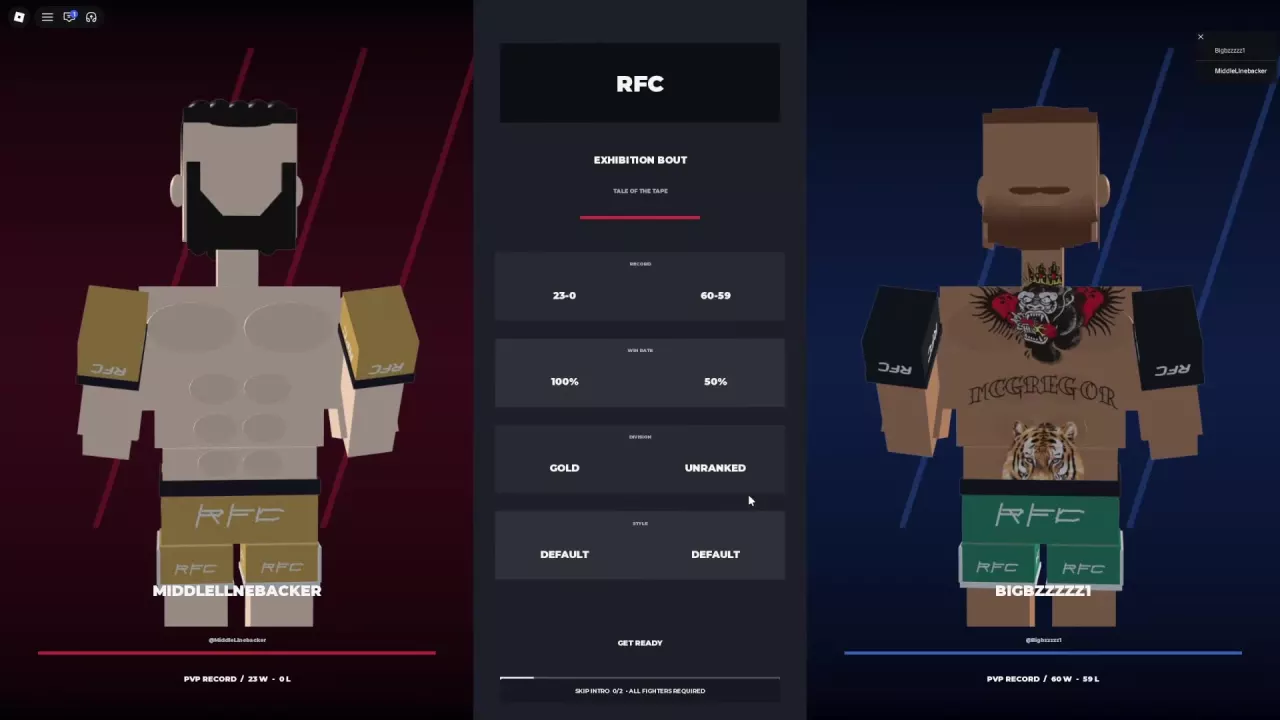
Tale of the Tape compares the fighters before they enter the cage:
| Field | What to read |
|---|---|
| Record | The fighter’s displayed wins and losses |
| Win Rate | The displayed win percentage; a 0–0 fighter can show -- |
| Division | The fighter’s division, such as Unranked, Silver, or Gold |
| Style | A separate label, including Default, Counter Artist, or Kickboxing Shell |
Read Style separately from Division and Record. These names identify the displayed style; they do not specify attacks or bonuses on this screen. For placement progress and rating, see the Ranked guide.
To skip the entrance:
- Select Skip Intro during the pre-fight sequence.
- Read Voted to Skip and All Fighters Required.
- Wait for every fighter to agree. In a two-fighter match, 1/2 registers one vote, so the introduction can keep playing until the other fighter votes.
If you watch the entrance, it can include red- and blue-corner introductions, Cutman, Equipment Check, Cage Entry, and Inside the Octagon before the opening round.
Follow Round Break into the Next Round
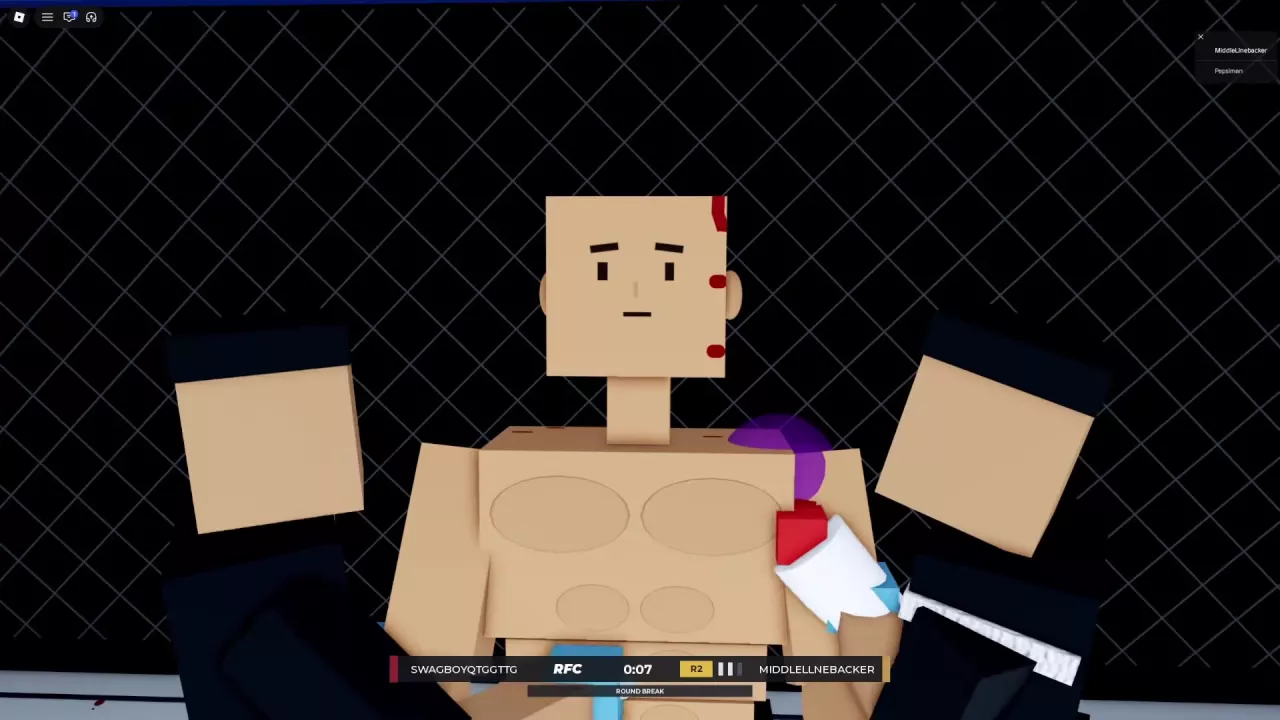
When a round ends and the fight continues, the interface changes to Round Break with its own countdown. Fighters sit in their corners while RFC Corner Team members attend to them and offer water. Visible injuries can remain during this sequence.
Follow the break timer, then resume fighting when RFC Bout returns with the next round label and a fresh round timer. For example, a Ranked second round begins at R2 / 1:30.
Distinguish a Fall from a Fight-Ending Result
Falling down does not automatically lose the fight. While the round remains active, you can continue fighting on the ground or return to your feet.
| Situation or result | What it means |
|---|---|
| Ordinary fall or knockdown during an active round | The fight can continue. Keep defending and working for position. |
| Knockout | The fight is over, with a winner named on the result screen. |
| Bone break | A bone-break finish wins the whole fight, not just the round. Result details can identify RightShoulder or RightElbow. |
| Referee Stoppage | The referee has stopped the fight. A Ranked result can specify Referee Stoppage · Two Dislocations. |
| Decision | The fight reaches its scheduled end and the result uses accumulated round points. |
When the referee intervenes or a finish replay begins, follow the transition to the result panel and read the winner, ending type, and any injury detail. A highlighted bone or a fighter’s position outside the cage is not enough to identify the official result. A fighter can return from outside the cage and continue the same round.
Avoid lingering in awkward joint positions: a bone-break finish can end the bout quickly. See grappling and joint pressure for control and pressure cues, or ground combat for repositioning and getting up.
For a decision, round points are added together rather than simply awarding the fight to whoever has the most total strikes. Use the scoring guide to interpret the round explanations and fight statistics.
Understand Finish Replay and X-ray Labels
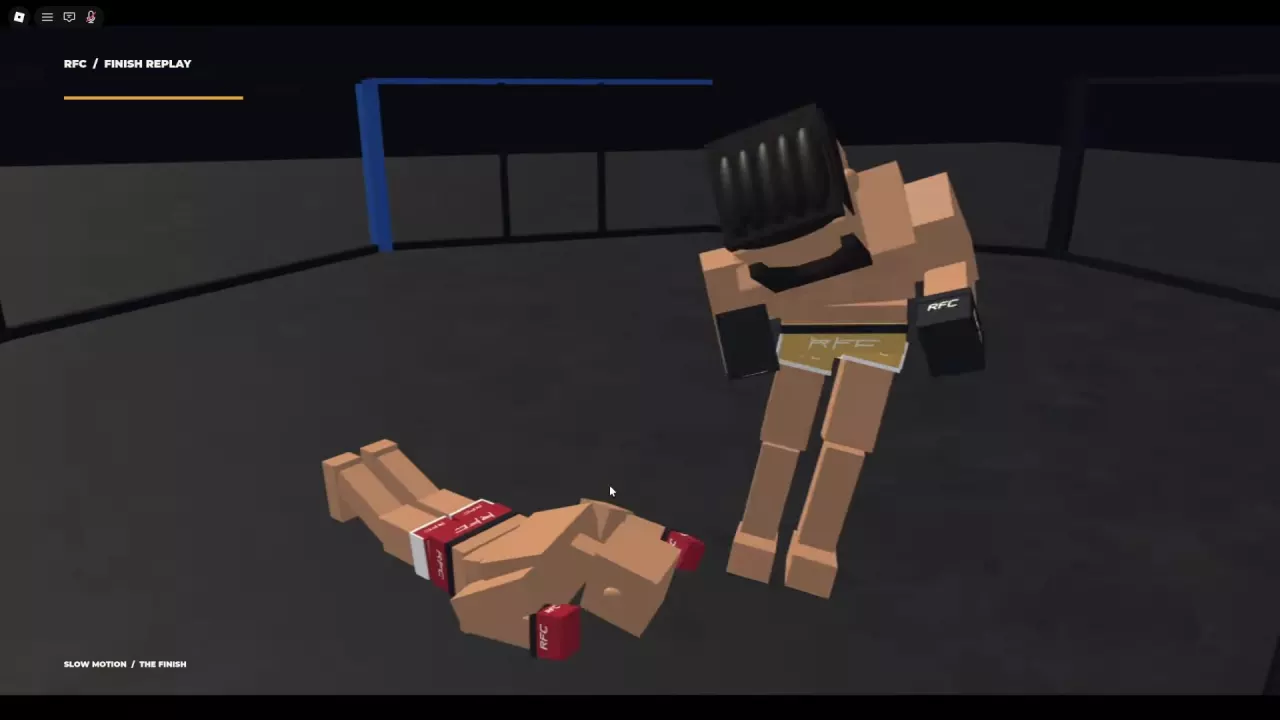
Finish Replay automatically replays the ending exchange in slow motion, with Slow Motion / The Finish on screen. An X-ray Replay can follow to highlight an impact area or affected bones.
- Skull Impact identifies the head-impact sequence.
- Right Shoulder and Right Elbow identify the body area highlighted in those replays.
- Approach, Contact, and Follow-through label stages of the replayed motion when they appear.
Use the replay to follow how the ending exchange unfolded. Then read the formal result for the winner and finish type: the body-area label alone does not tell you the official ruling. The sequence can return to the referee raising the winner’s hand before the result menu.
Rematch, Play Again, or Return to the Menu
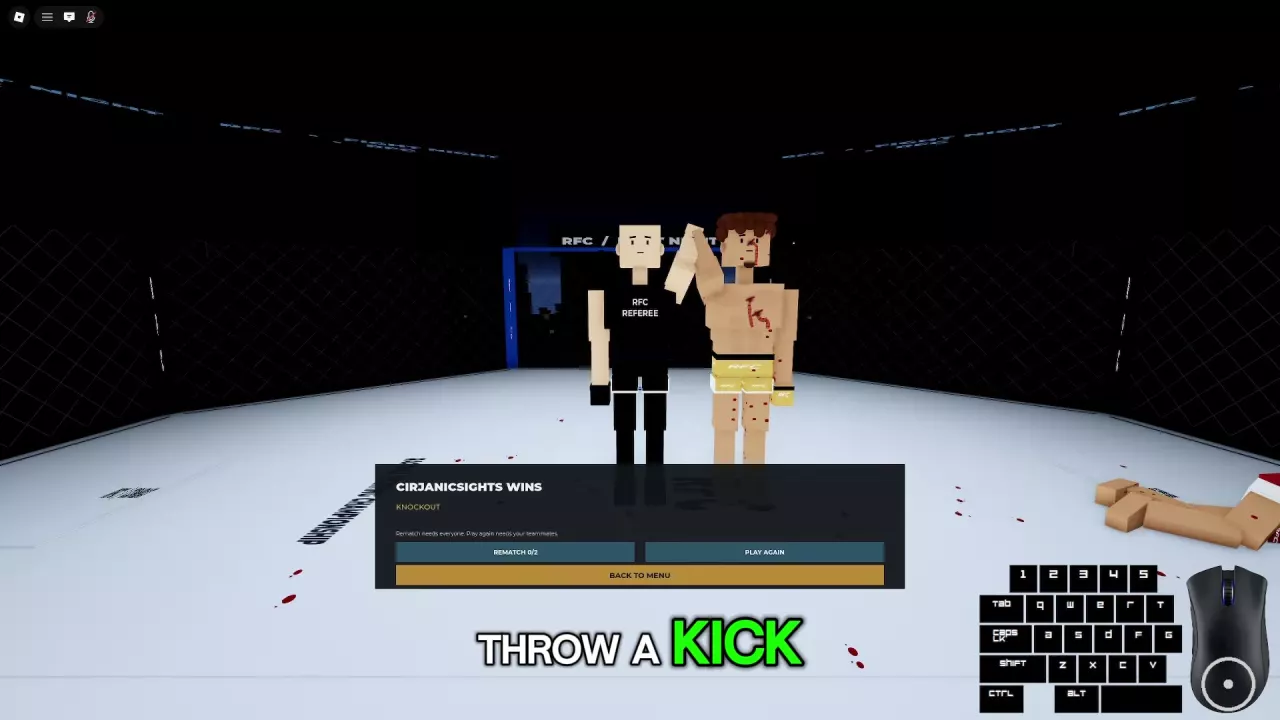
Read the result first, and scroll through the scorecard if one is available. Then choose an available post-fight option.
| Option | Action and requirement |
|---|---|
| Rematch | Request another fight with the same participants. Everyone must agree. In a two-fighter match, 0/2 means neither has agreed and 1/2 means one has. |
| Play Again | Choose another match. Follow the prompt requiring your teammates’ agreement. |
| Back to Menu | Return to the main menu. |
Rematch Unavailable can appear after an opponent disconnects and in some result layouts, including a five-round decision’s statistics view. It describes the current button state, not a permanent ban on rematches for that mode. Some result menus offer only Back to Menu.
When an Opponent Disconnects
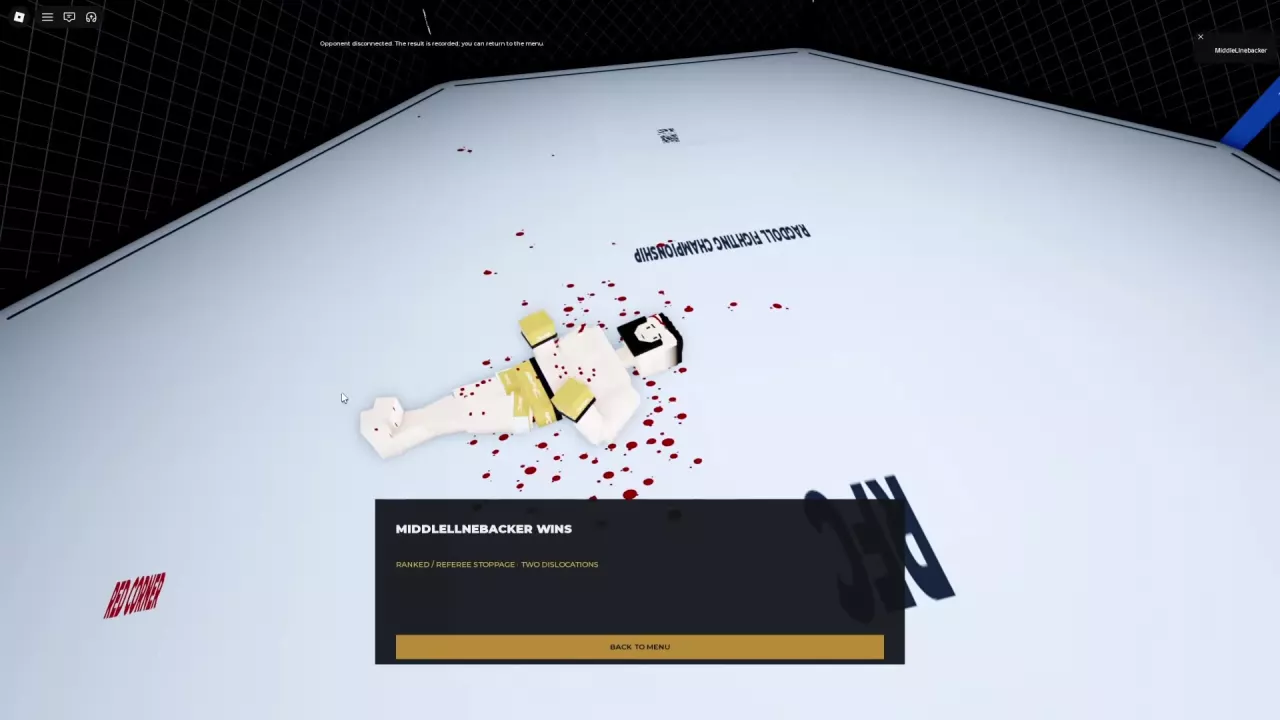
Opponent Disconnected can end a match with the remaining fighter awarded the win and a message that the result has been recorded. Read the winner and ending reason, then use Back to Menu to leave the result screen.
The disconnect notice can also appear alongside an existing Bone break, Knockout, or Referee Stoppage · Two Dislocations result. Keep those two messages separate: the notice says the opponent disconnected, while the finish line identifies the fight’s ruling. The notice does not mean the disconnect caused an injury.
Leaving an assigned Ranked match counts as a loss. See Ranked leaving rules for the distinction between canceling a search and leaving a match.
Ragdoll MMA Game Modes: Casual, Teams, and Rule Sets
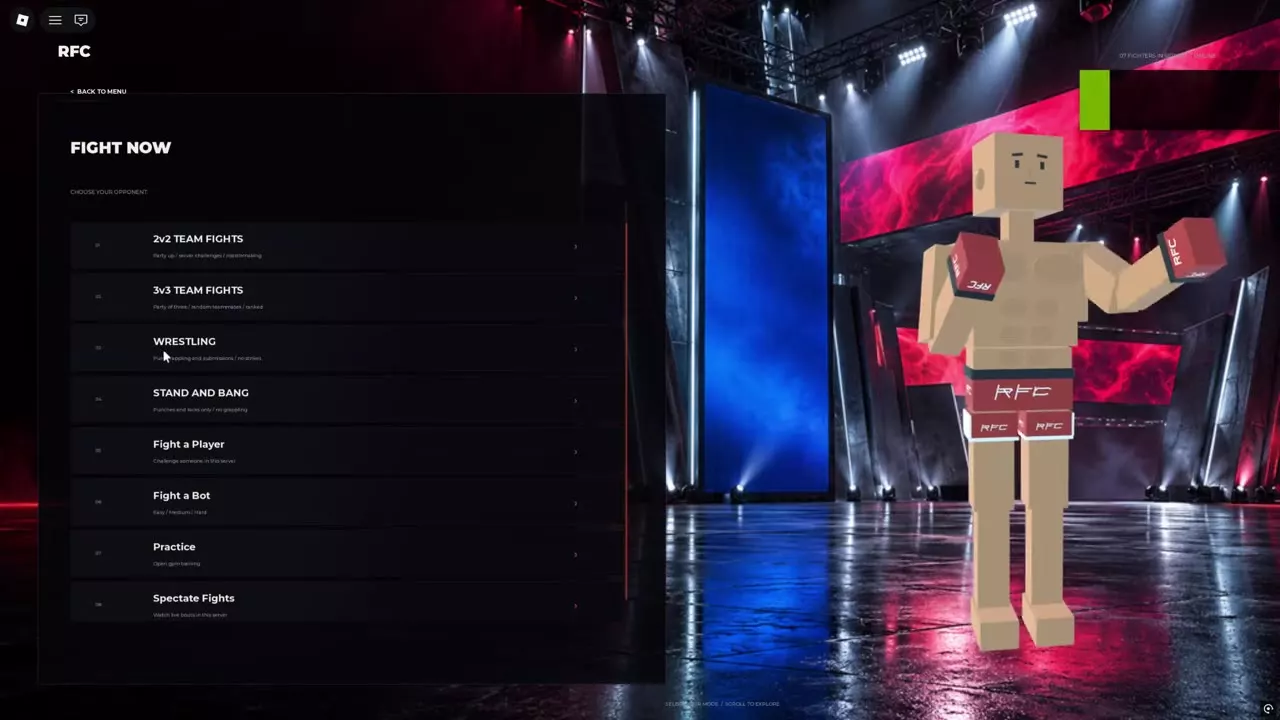
Compare Ragdoll MMA game modes, find Quick Fight, Ranked, team fights and restricted rules, challenge players, spectate, and cancel matchmaking.
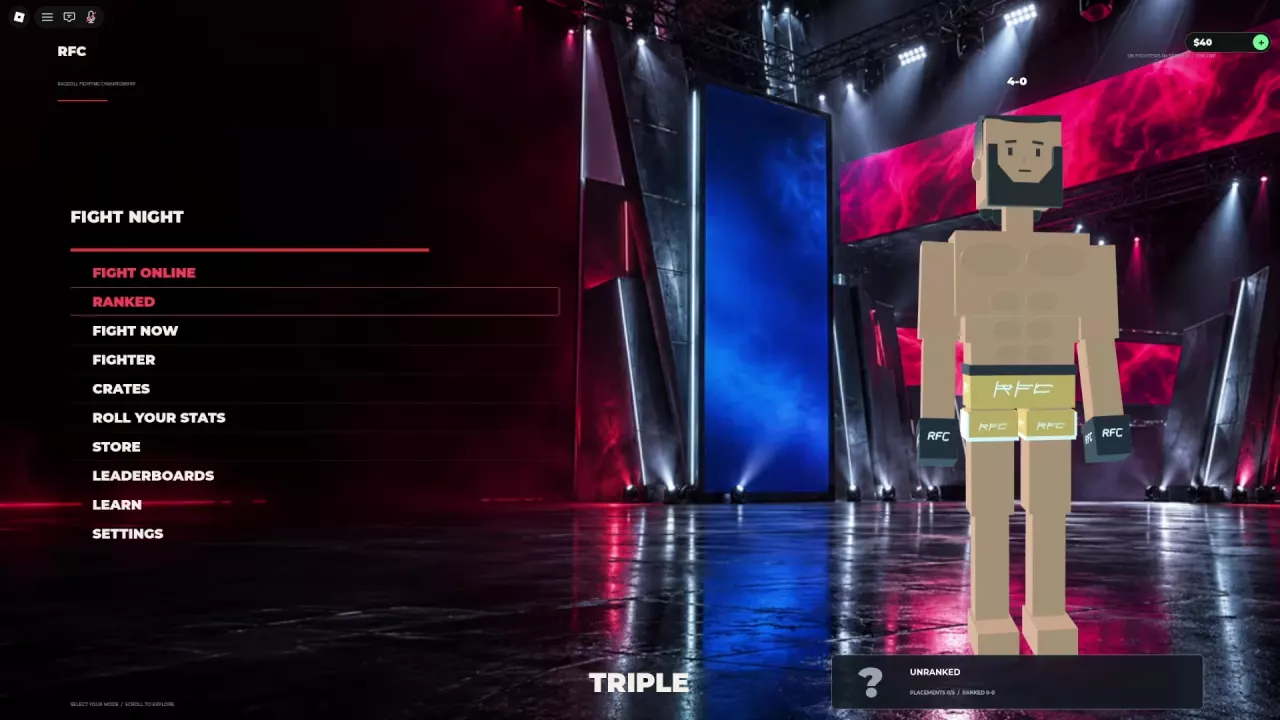
Ragdoll MMA Ranked: Placements, Rating, and Leaving
Enter Ragdoll MMA Ranked, track five placement matches, read your Rating and record, and learn when leaving counts as a loss.
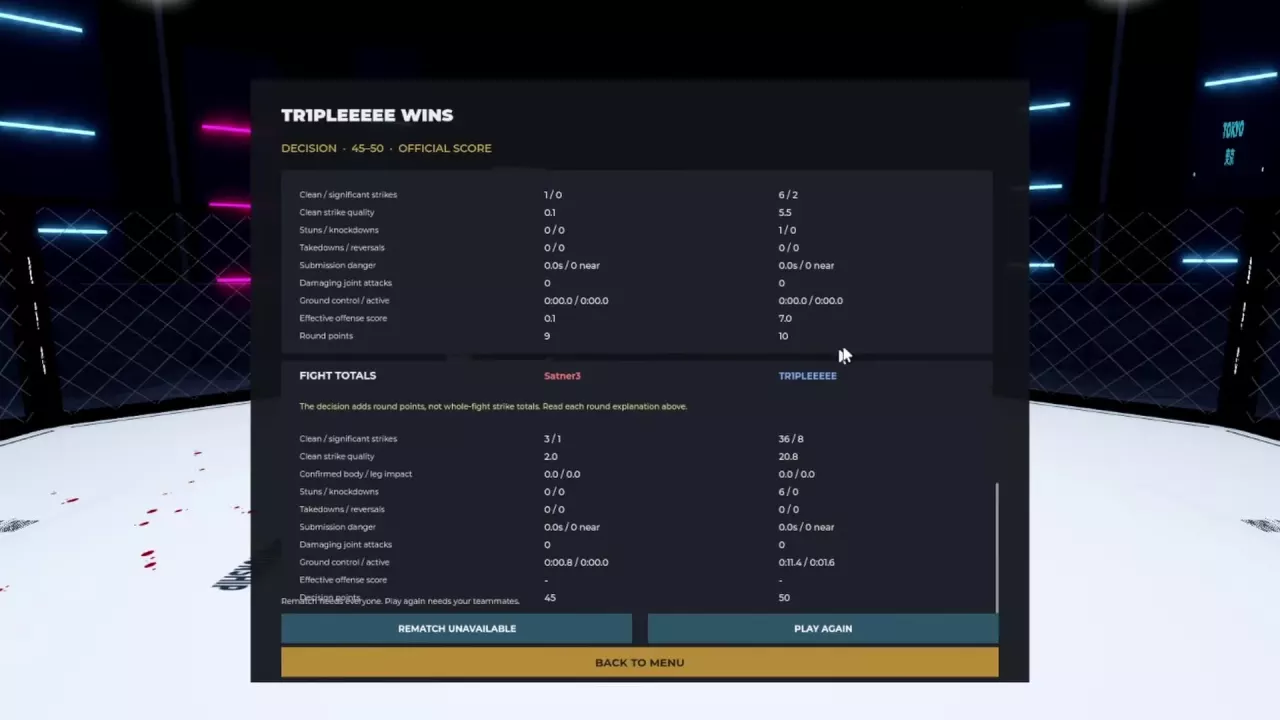
Ragdoll MMA Scoring System: Decisions and Fight Stats
Understand the Ragdoll MMA scoring system, read every round statistic, and use real scorecards to improve striking, takedowns, and ground control.
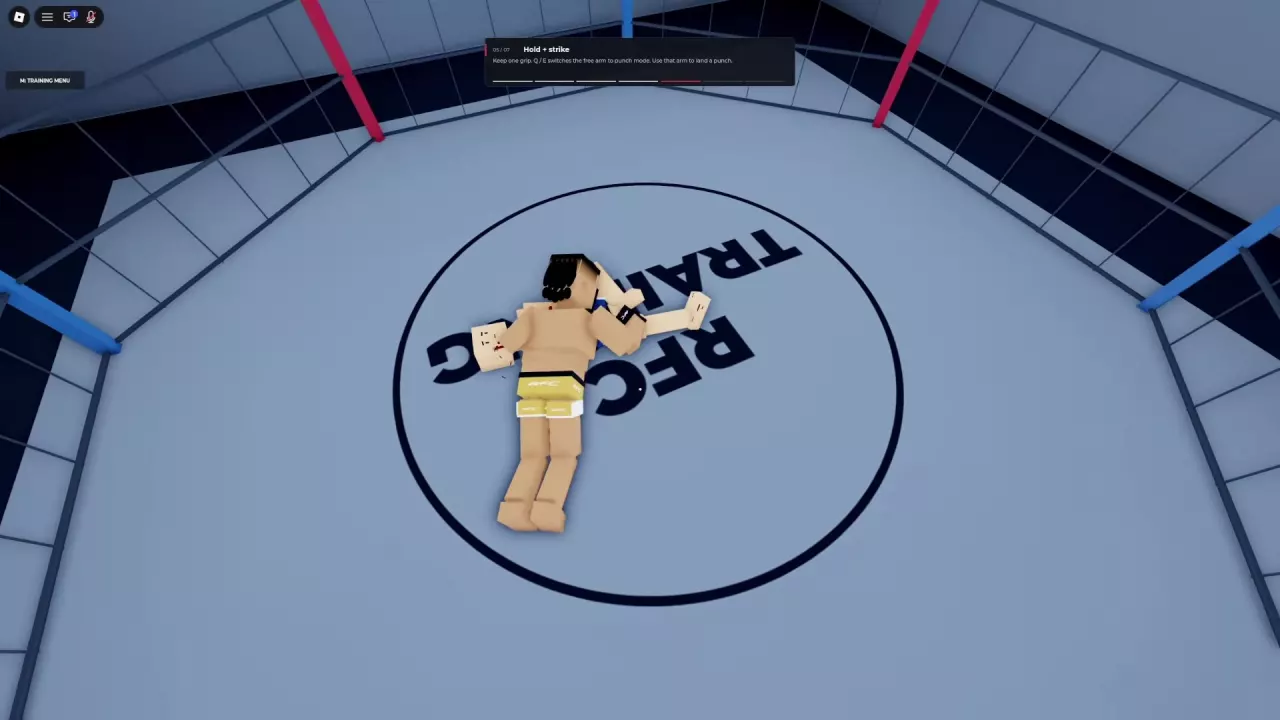
Ragdoll MMA Ground Combat: Strike, Reposition, and Get Up
Learn Ragdoll MMA ground combat controls: crawl, turn, punch while holding, guide both legs, and get up. Find better angles and understand weight penalties.
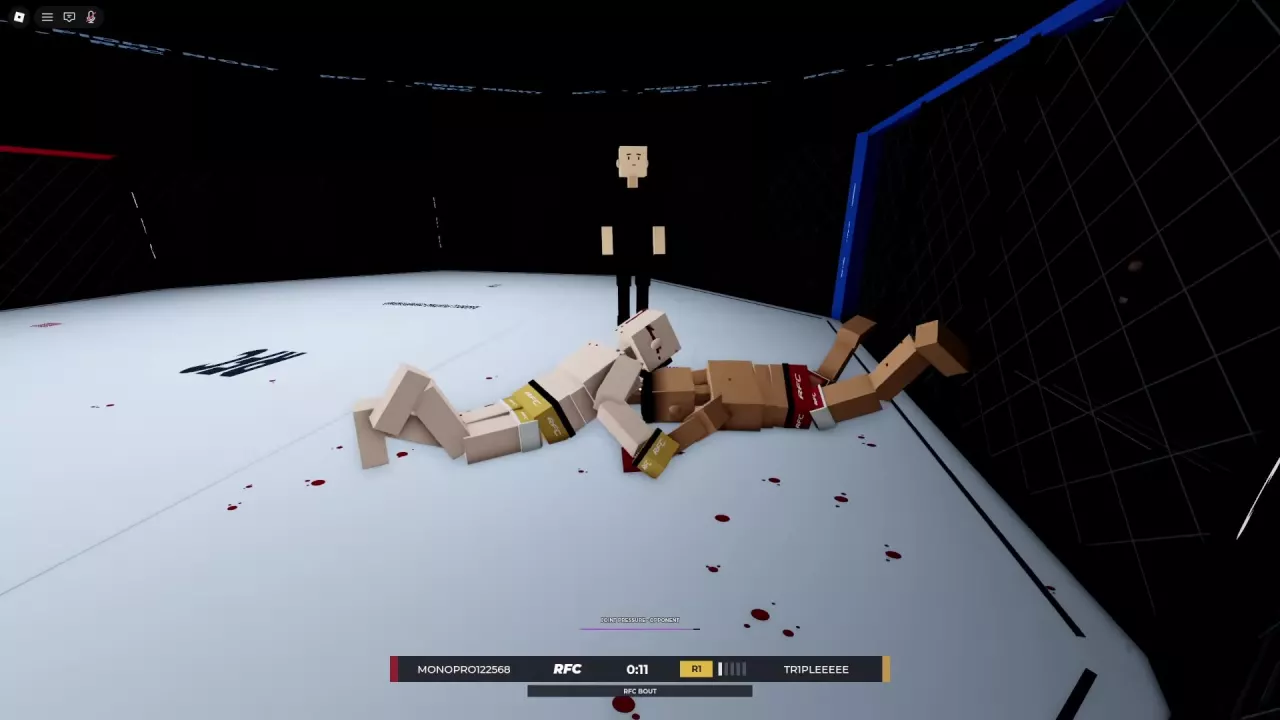
Ragdoll MMA Grappling Guide: Grabs, Slams, and Joint Pressure
Learn how to grab, reposition, release, and slam in Ragdoll MMA, plus leg takedown attempts, submission positioning, and joint-pressure warnings.
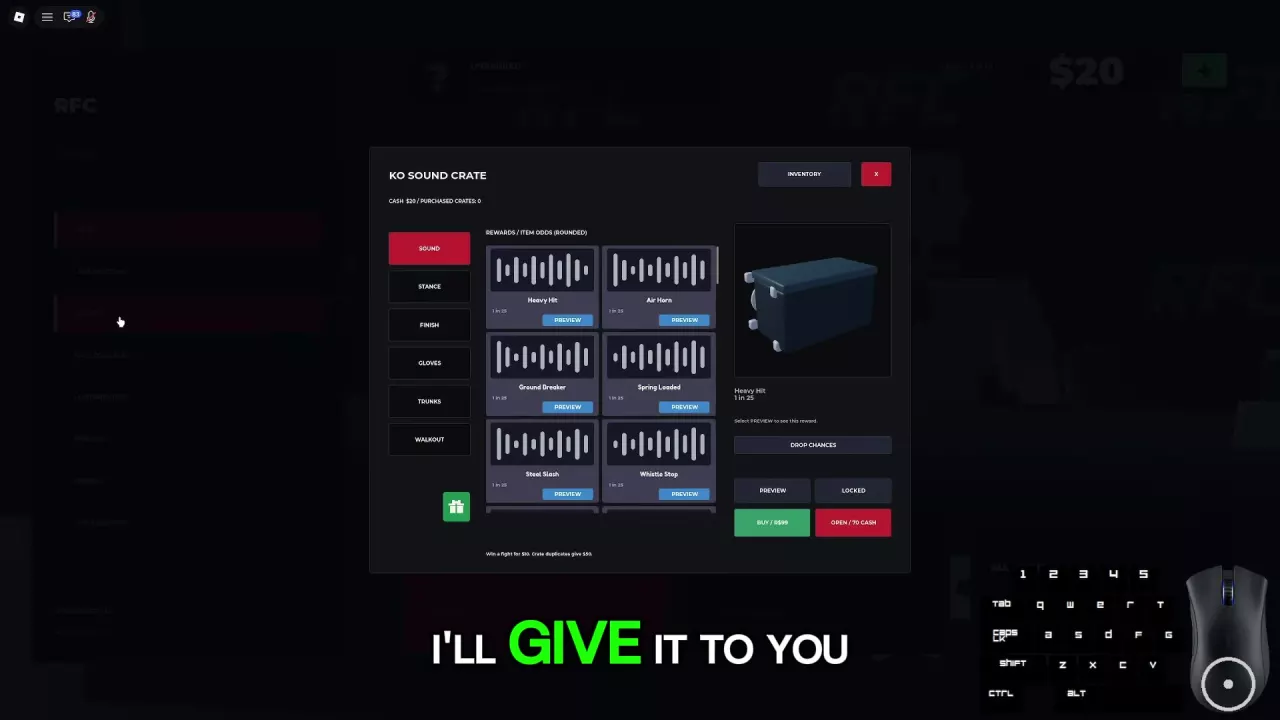
Ragdoll MMA Crates and KO Sounds: Costs, Odds, and Previews
Browse Ragdoll MMA KO sounds, find Preview, check rounded drop odds, and compare the 70 Cash opening, 99 Robux purchase, and 50 Cash duplicate payout.