Ragdoll MMA Wiki

Ragdoll MMA Wiki

Last updated:

Ragdoll MMA is a physics-based mixed martial arts game on Roblox, combining punches, kicks, contact grappling, and ground combat. This Wiki covers controls, training, fight rules, fighter measurements, rerolls, and customization.
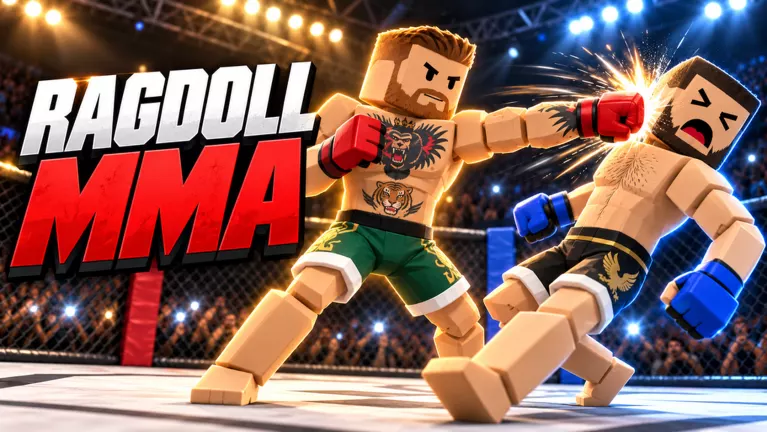
Ragdoll MMA official artwork

Game overview

Genre
Action
Visits
16M+
Favorites
11K+
Creator
MattValidd
Release date
2026-10-20
Game updated
2026-11-09

Codes

No codes are currently listed.

The full collection

Explore codes & rewards

Browse all listed codes, check rewards and requirements, and follow the redemption guide.
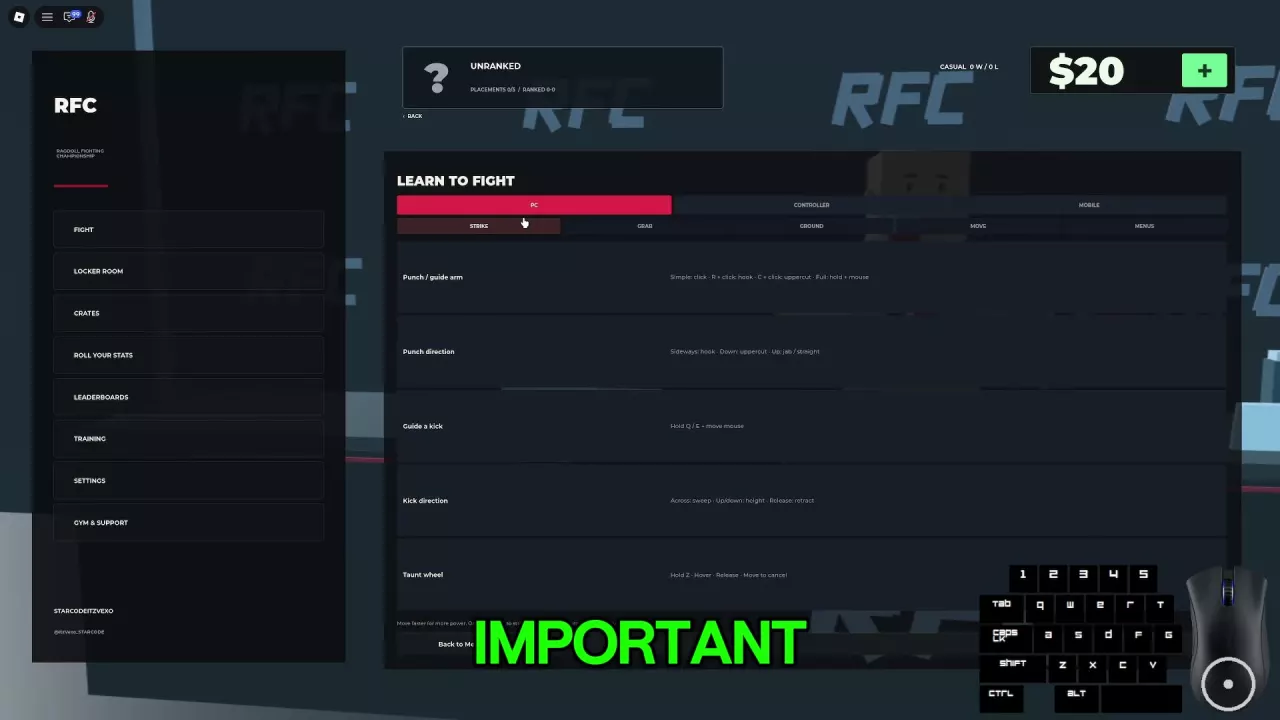
Ragdoll MMA Beginner Guide: Your First Fight

The Learn to Fight controls guide with PC, Controller, and Mobile tabs.
  1. Open Controls. Read the inputs for your device. In the layout with Training, use Training → Learn to Fight → Controls Guide.
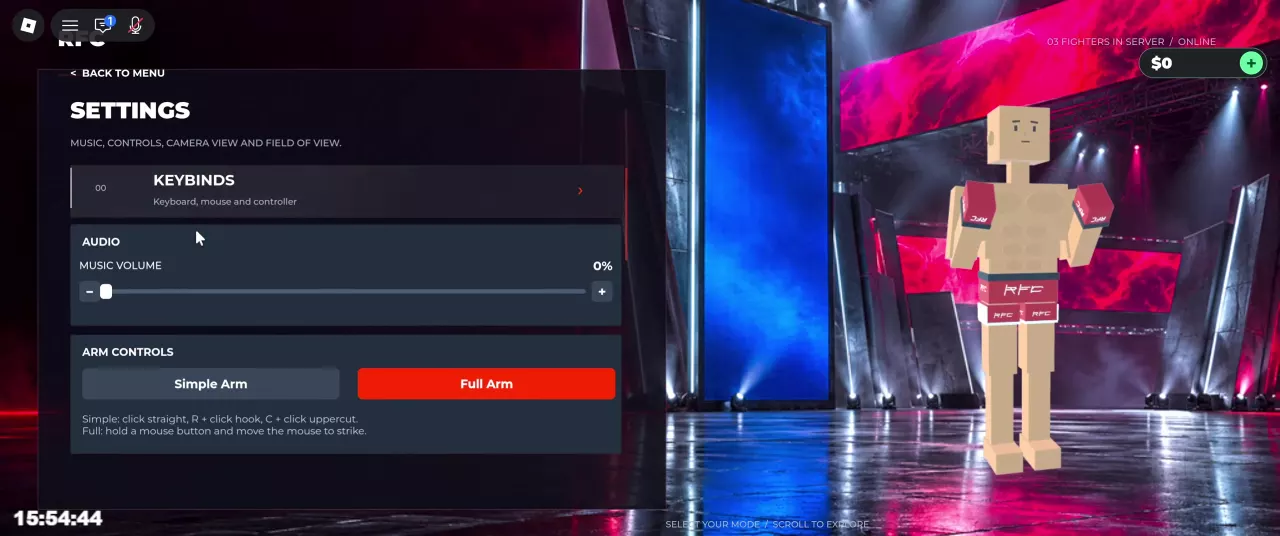
  2. Choose an arm mode in Settings. Simple Arm uses clicks to punch; Full Arm uses a held mouse button and mouse movement to guide an arm. Choose the input style you prefer.
  3. Practice contact. Try moving, landing punches and kicks, and establishing a grip in training before facing another player.
  4. Join a casual fight. In the layout with a Fight sidebar, select Fight → Quick Fight, labeled Casual matchmaking.

An ordinary fall does not end the bout. You can still move and fight on the ground while the round is active; Space requests a get-up on PC.
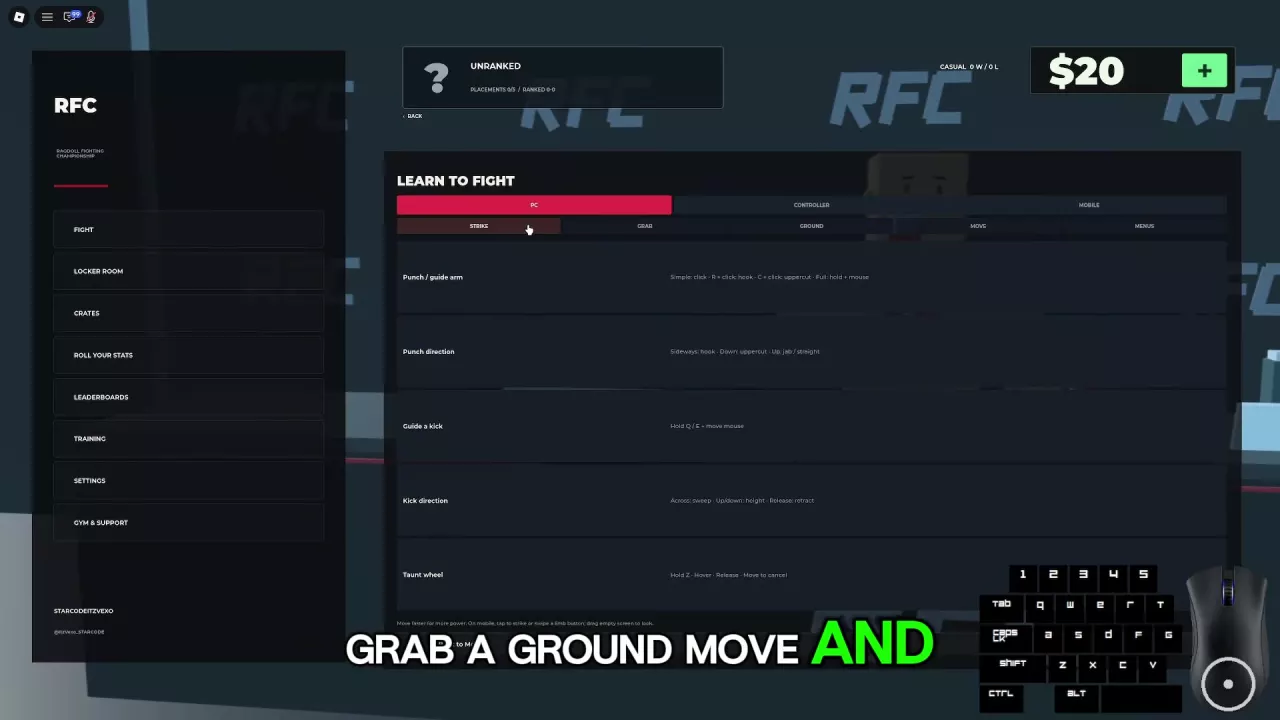
Ragdoll MMA PC Controls and Arm Modes

PC Strike guide with punch directions, guided kicks, and Taunt wheel controls.
  • Move and control arms: Use WASD to move, left mouse for the left arm, and right mouse for the right arm.
  • Simple Arm punches: Click for a straight, R + click for a hook, or C + click for an uppercut. Full Arm instead uses a held mouse button and mouse movement to guide the arm.
  • Q/E outside grab mode: Control the left/right kick. For guided kicks, hold the key and move the mouse.
  • Q/E in grab mode: Switch the left/right arm into punching mode instead of controlling kicks.
  • Space: Jump while standing or request a get-up while grounded.

Ragdoll MMA Camera, Sensitivity, and Audio Settings

Ragdoll MMA Settings with Music Volume set to 0%.
  • Change perspective: Press LeftAlt on PC to toggle camera views.
  • Look around while gripping: Release the limb-control input after securing a grip. The grip can remain attached while the camera moves freely; holding a limb-control input locks the camera for guidance.
  • Mute music: Open Settings → Music Volume and reduce it to 0%.
  • Adjust the view: Settings includes FOV, camera sensitivity, controller camera sensitivity, and Center Dot. Sensitivity affects camera movement only, and preferences save across devices.

Ragdoll MMA Striking Guide: Punches, Kicks, and Defense

PC Strike controls showing punch modifiers, arm directions, and guided kick inputs.
  • Guide a standing kick on PC: Stay outside grab mode. Hold Q for the left leg or E for the right, sweep the mouse sideways to kick, and move it vertically to adjust height. Release the key to retract the leg.
  • Reach the head: Press Space to jump before kicking toward a standing opponent’s head. You can still be hit during the attempt, and a jump kick does not guarantee a knockdown or knockout.
  • Fix missed punches: Watch for the small white hit-feedback square. If attacks keep missing, change your distance or angle before repeating them. Pace your attacks and look for a counter after the opponent overcommits.

Ragdoll MMA Grappling: Grabs, Slams, and Joint Pressure

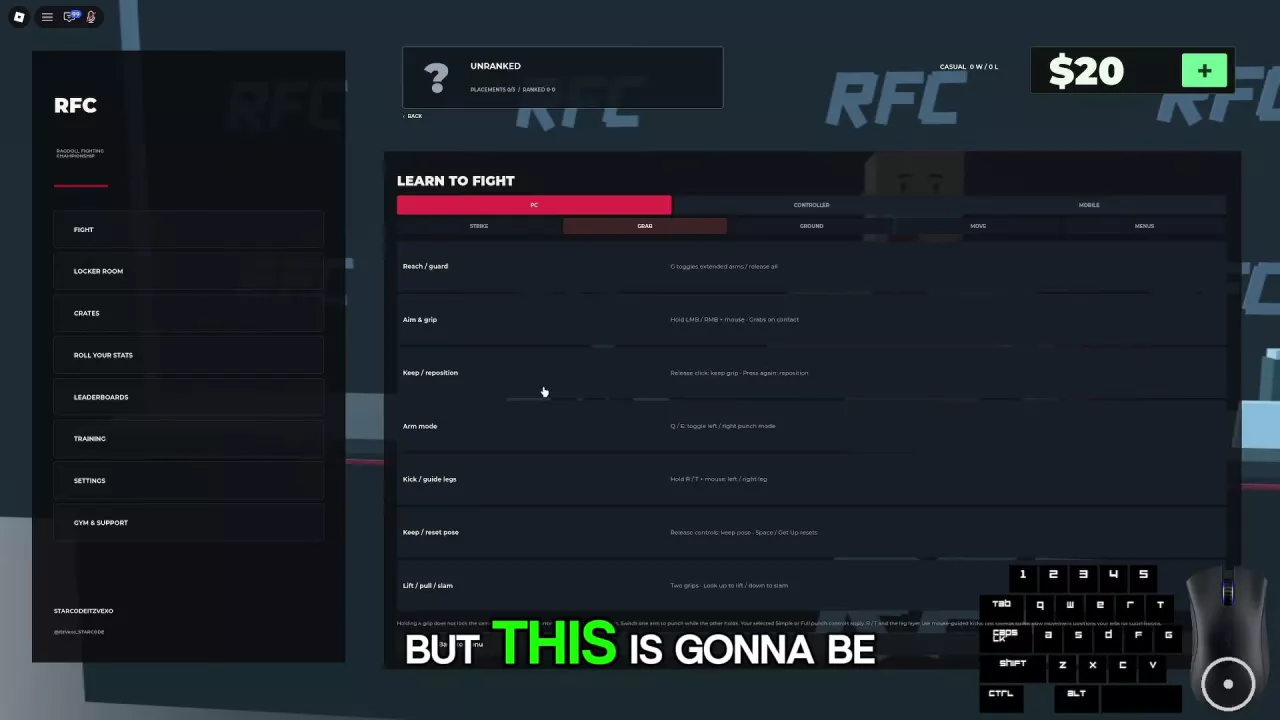
PC Grab controls showing contact grips, arm switching, leg guidance, and lift-and-slam inputs.

To establish a grip on PC, use a ruleset that permits grappling:
  1. Reach: Move close and press G to enter grab mode.
  2. Make contact: Hold the left or right mouse button and guide that hand onto the opponent. Pressing G alone does not secure a hold.
  3. Maintain or reposition: Release the mouse button to keep the grip; press it again to reposition that hand. G releases all of your own grips, not the opponent’s holds.
  • Lift and slam: Secure both hand grips, look up to lift, then look down to slam.
  • Respond to joint danger: JOINT PRESSURE · ON YOU means your joint is under pressure. When JOINT AT RISK · RELIEVE PRESSURE appears, prioritize trying to disengage from the dangerous position.

Ragdoll MMA Ground Combat: Strike, Reposition, and Get Up

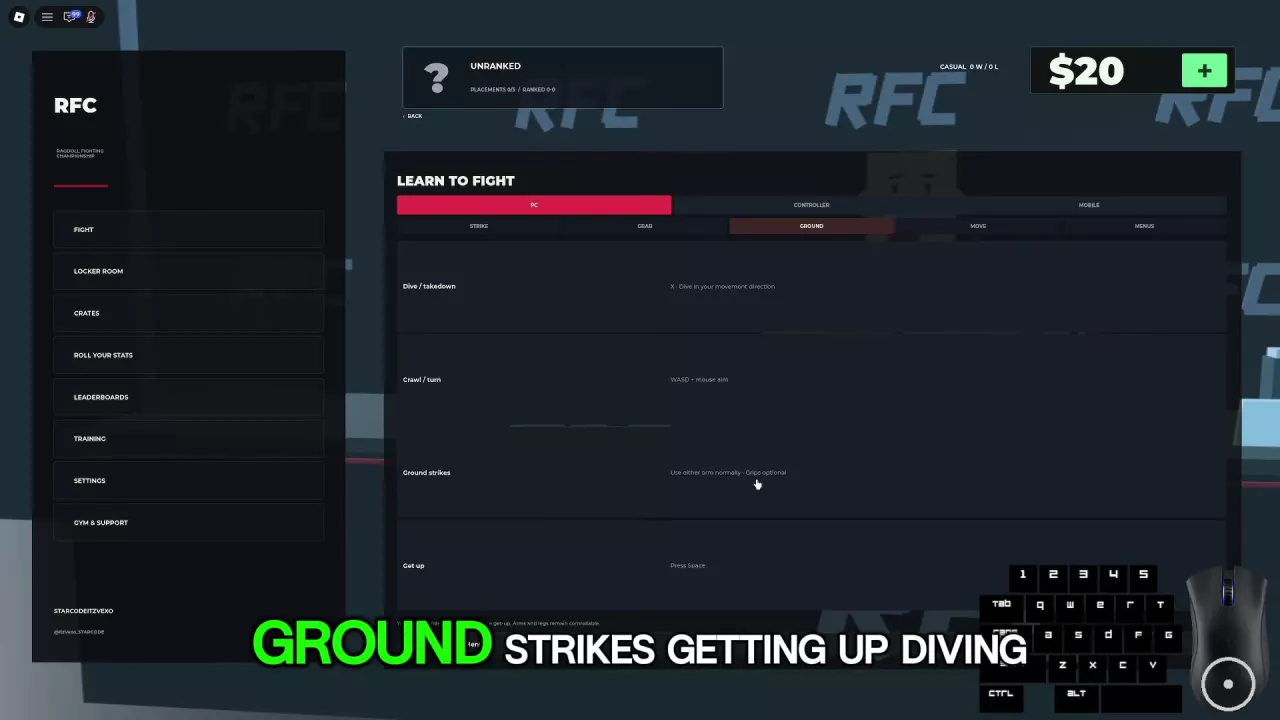
PC Ground controls listing X to dive, WASD and mouse aim to crawl, and Space to get up.
  • Move while grounded: Use WASD and mouse aim on PC to crawl and turn toward a reachable target.
  • Punch with or without a grip: Where striking is allowed, either arm can punch normally. To hold and strike, keep one hand gripping and use Q to switch the left arm to punching or E for the right. Attack with that arm using your selected Simple or Full controls.
  • Guide legs while gripping: Hold R for the left leg or T for the right and move the mouse. Fast sweeps kick; slow movement positions the leg. Releasing holds the pose, and Space / Get Up resets it.
  • Return to standing: Press Space to request a get-up. It is not an instant escape, and a clinch can remain after you stand. Even from top position, the opponent can still punch back.

Ragdoll MMA Training: Lessons, Practice, and Bots

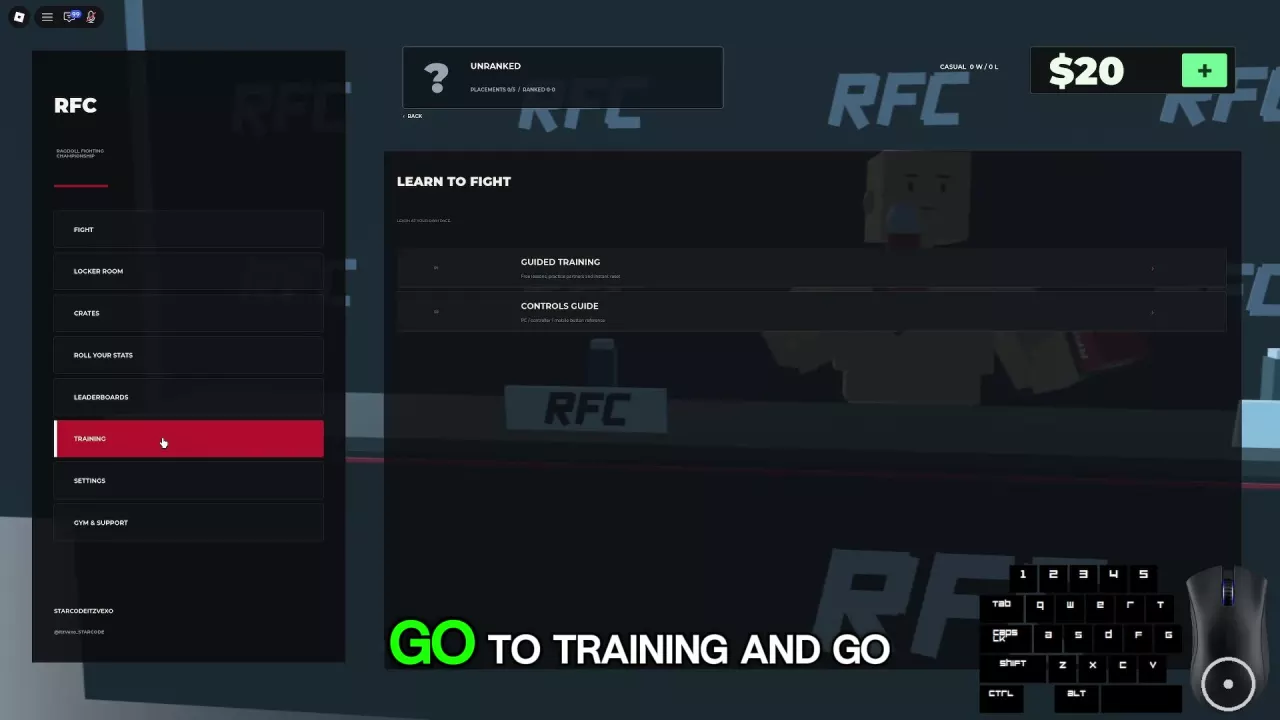
Learn to Fight menu with Guided Training and Controls Guide options.
  • Learn inputs: Open Training → Learn to Fight → Guided Training for free lessons with a practice partner and instant resets.
  • Repeat attacks freely: Open Fight Now → Practice for hanging punching bags in The Gym. Adjust your position until your attacks connect and the bag swings.
  • Practice against an opponent: Open Fight Now → Fight a Bot and choose Easy, Medium, or Hard. Start with Easy while learning to apply your controls during a fight.

Ragdoll MMA Personal Gym: Friends, Equipment, and Bots

The host needs Personal Gym; invited guests join free. Invite Roblox friends who are currently in Ragdoll MMA to your dedicated, invitation-only training server.
  • Equipment: An octagon, jiu-jitsu mats, heavy bags, torso targets, and speed bags.
  • Training partners: Place multiple bots and choose Peaceful, Easy, Medium, or Hard. Peaceful is a private-gym option; the regular Fight a Bot menu offers Easy, Medium, and Hard.

Ragdoll MMA Fight Modes: Casual, Teams, and Rule Sets

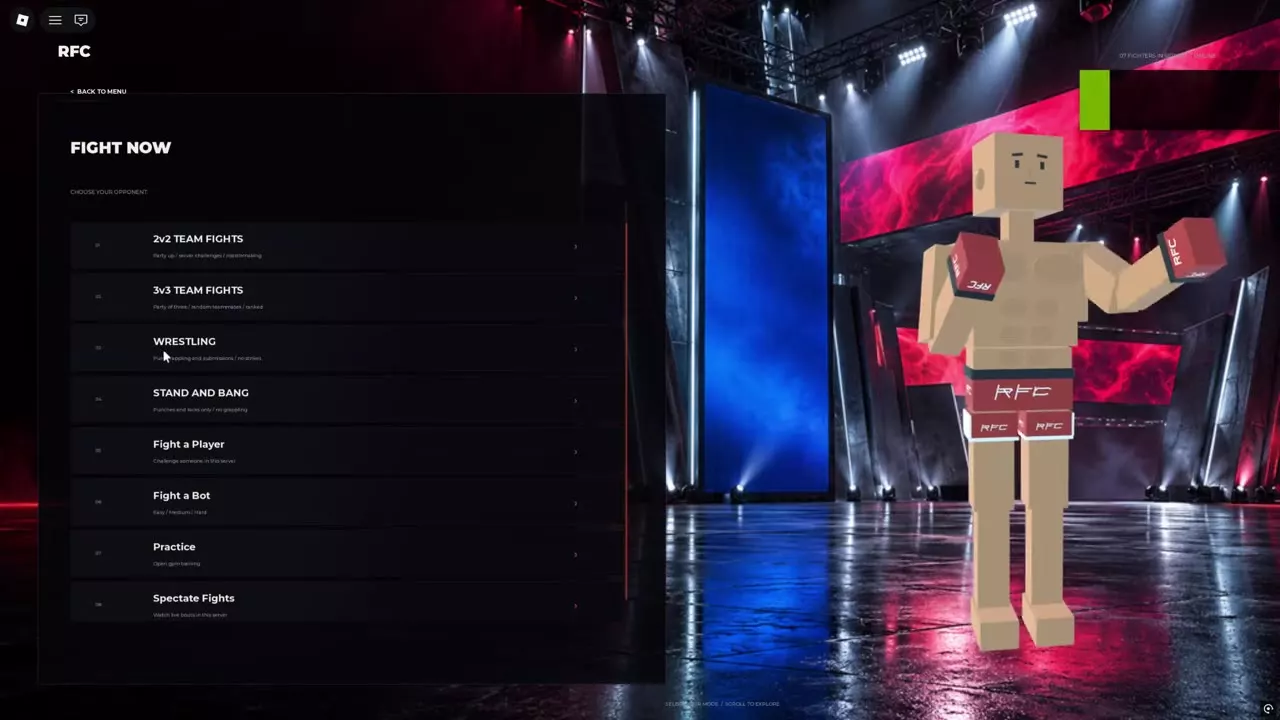
Fight Now menu with team fights, Wrestling, Stand and Bang, player challenges, bots, Practice, and spectating.
  • Casual matchmaking: In the Fight sidebar layout, choose Fight → Quick Fight. Casual searches can find opponents across servers.
  • Team fights: Open Fight Now → 2v2 Team Fights or 3v3 Team Fights for teams of two or three. The 2v2 entry offers team formation, server challenges, or matchmaking; 3v3 lists random teammates and ranked play among its options.
  • Grappling without strikes: Choose Fight Now → Wrestling for grappling and submissions. Striking is prohibited.
  • Striking without grappling: Choose Fight Now → Stand and Bang for punches and kicks. Grappling and wrestling are prohibited.
  • Choose or watch a server opponent: Fight Now → Fight a Player challenges someone in your current server; Spectate Fights watches live fights in that server.

Ragdoll MMA Ranked: Placements, Rating, and Leaving

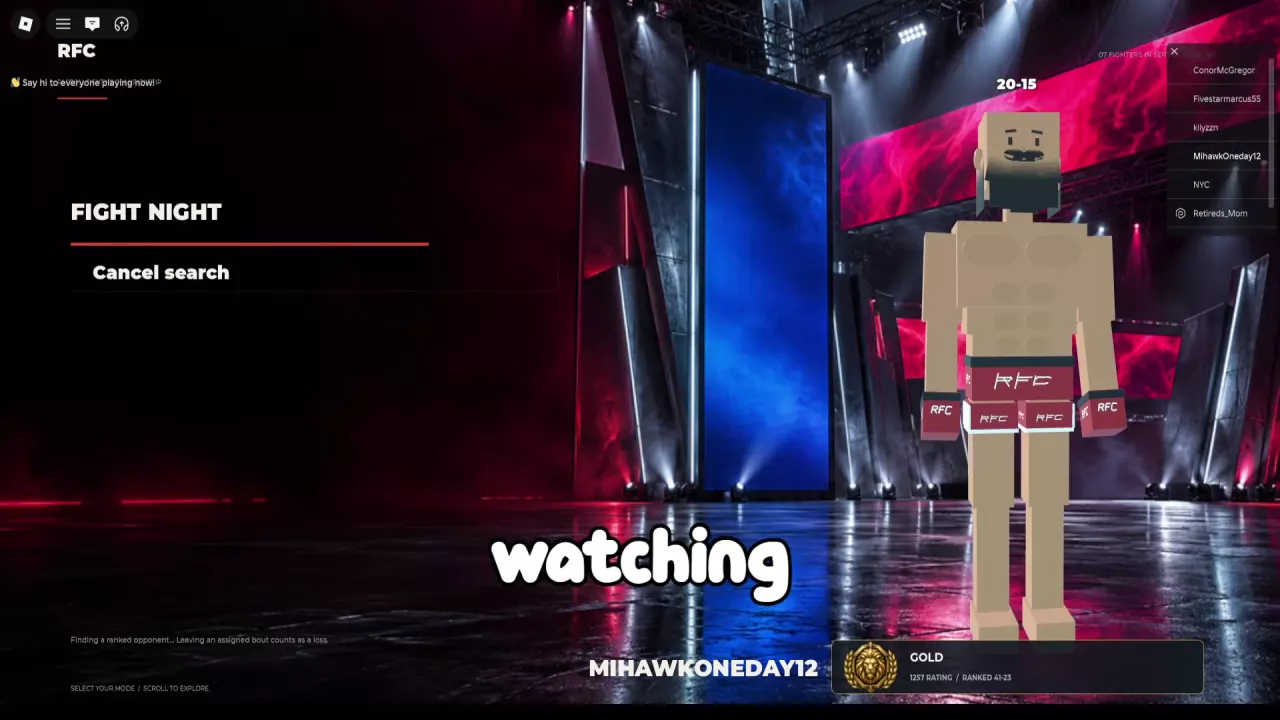
Ranked opponent search screen with the Cancel search button.
  • Placements: Complete five Ranked matches to finish placements. Losses advance the counter too; five wins are not required.
  • Bout length: Ranked bouts are scheduled for five rounds of 90 seconds each. A finish can end the fight early.
  • Canceling versus leaving: Use Cancel search while the game is still searching. Leaving an assigned Ranked match counts as one loss, even if a cancellation button remains visible.

Ragdoll MMA Scoring: Decisions and Fight Stats Explained

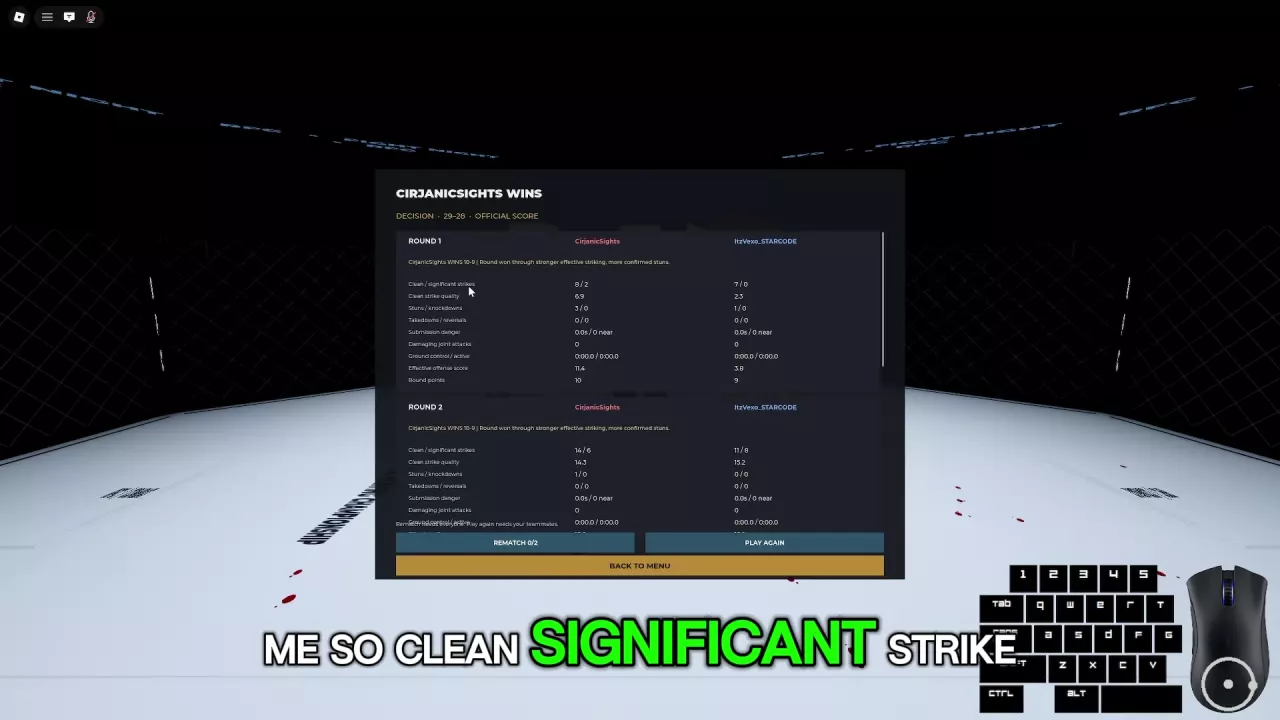
CirjanicSights’ 29–28 scorecard with round-one statistics and part of round two.

Decisions add the points awarded in each round. Full-fight strike totals or visible injuries do not directly decide the winner.

Round outcome Score
Clear round win 10–9
Overwhelming damage Can produce 10–8
Even round 10–10

Effective striking, established takedowns, and ground control contribute to scoring. Active offense during control earns more than simply retaining the position. After a decision, open Official Score, compare each round’s points, and read its explanation alongside the statistics.
Ragdoll MMA Fighter Stats and Build Choices

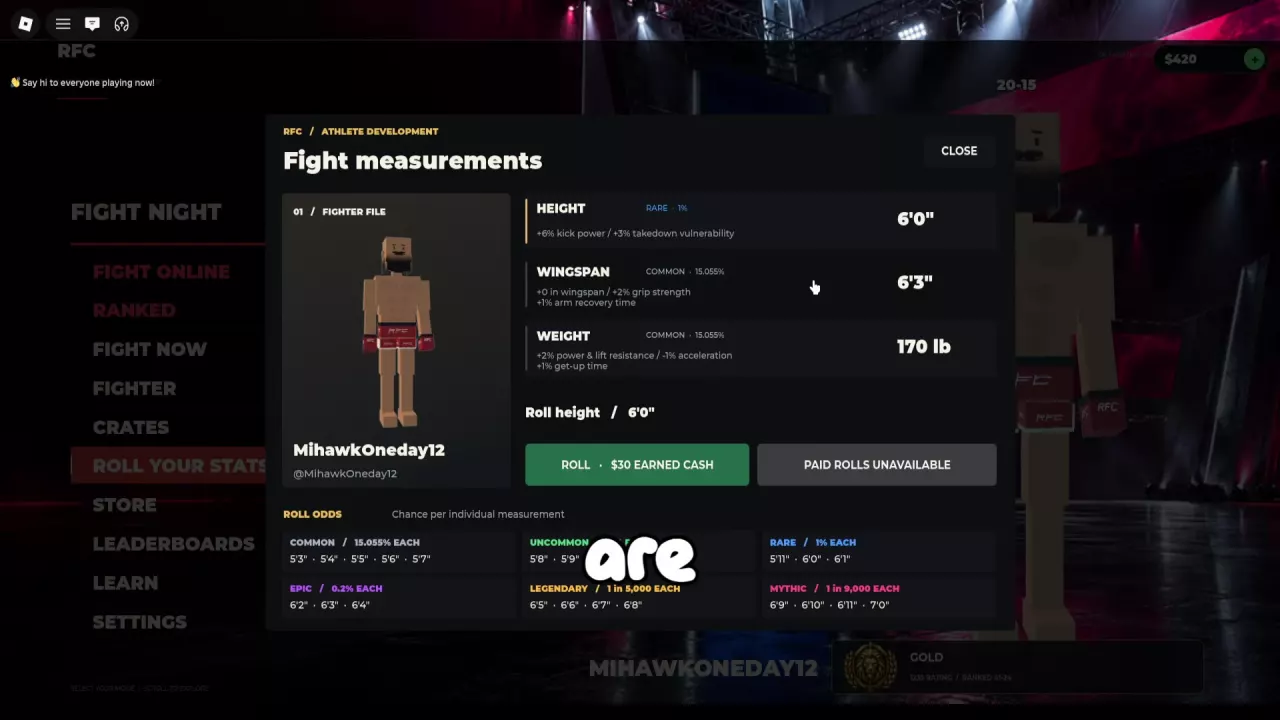
Fight measurements panel showing height, wingspan, weight, and their combat modifiers.

Read each measurement’s benefits and penalties together. At 6'0" height, the modifiers are +6% kick power and +3% takedown vulnerability.

Weight Power and lift resistance Acceleration Get-up time
170 lb +2% −1% +1%
180 lb +4% −2% +2%

Choose 170 lb for the smaller acceleration and get-up penalties, or 180 lb for more power and lift resistance. A positive get-up-time modifier means longer to stand, not faster recovery.
Ragdoll MMA Stat Rerolls: Costs, Outcomes, and Odds

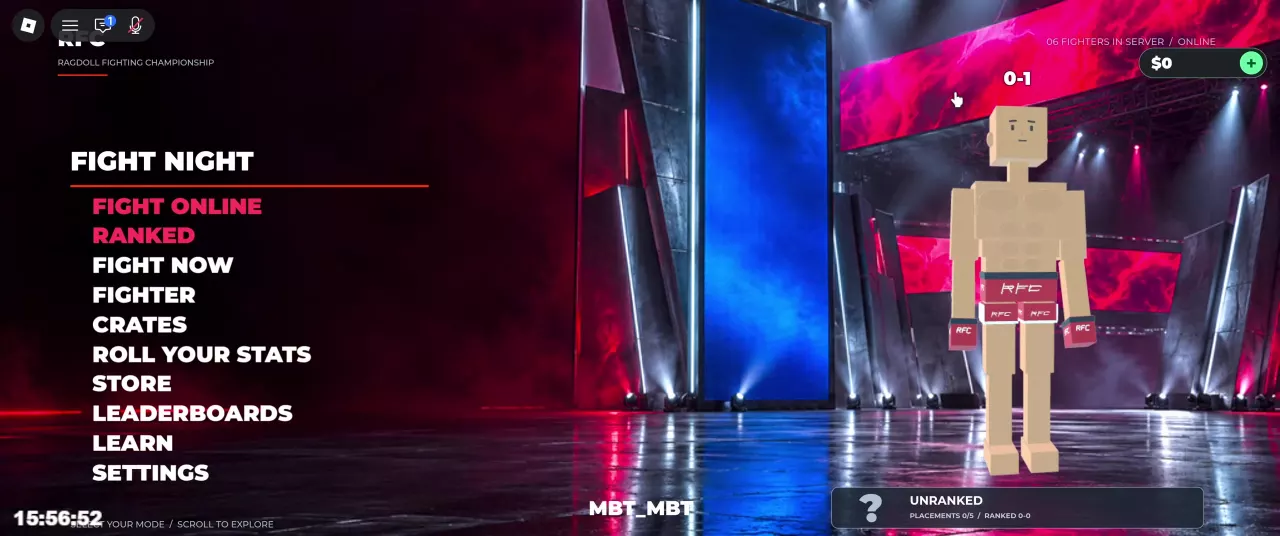
Ragdoll MMA main menu with the Roll Your Stats entry.
  1. Select one stat: Open Roll Your Stats and choose Height, Wingspan, or Weight.
  2. Check the active price: Read the selected stat’s ROLL button and currency requirement before spending.
  3. Wait for ROLLED: The completed result replaces that measurement. It can be lower or repeat your current value; passing animation values are not the awarded result.
Interface Cost per roll Paid-roll option
Height with Standard Roll active in the 30 Cash interface 30 Cash 19 Robux
50 Cash interface 50 eligible Cash 19 Robux
Earned Cash interface 30 Earned Cash Paid Rolls Unavailable

Do not assume purchased Cash satisfies an Earned Cash requirement.

Odds apply to one exact result on the selected stat’s table. For example, 7'0" Height, 7'8" Wingspan, and 235 lb Weight each have a listed chance of 1 in 9,000 on their respective tables. This does not promise the result within 9,000 attempts. Standard odds do not apply to Lucky rolls.
Ragdoll MMA Cash: Rewards, Packs, and Spending

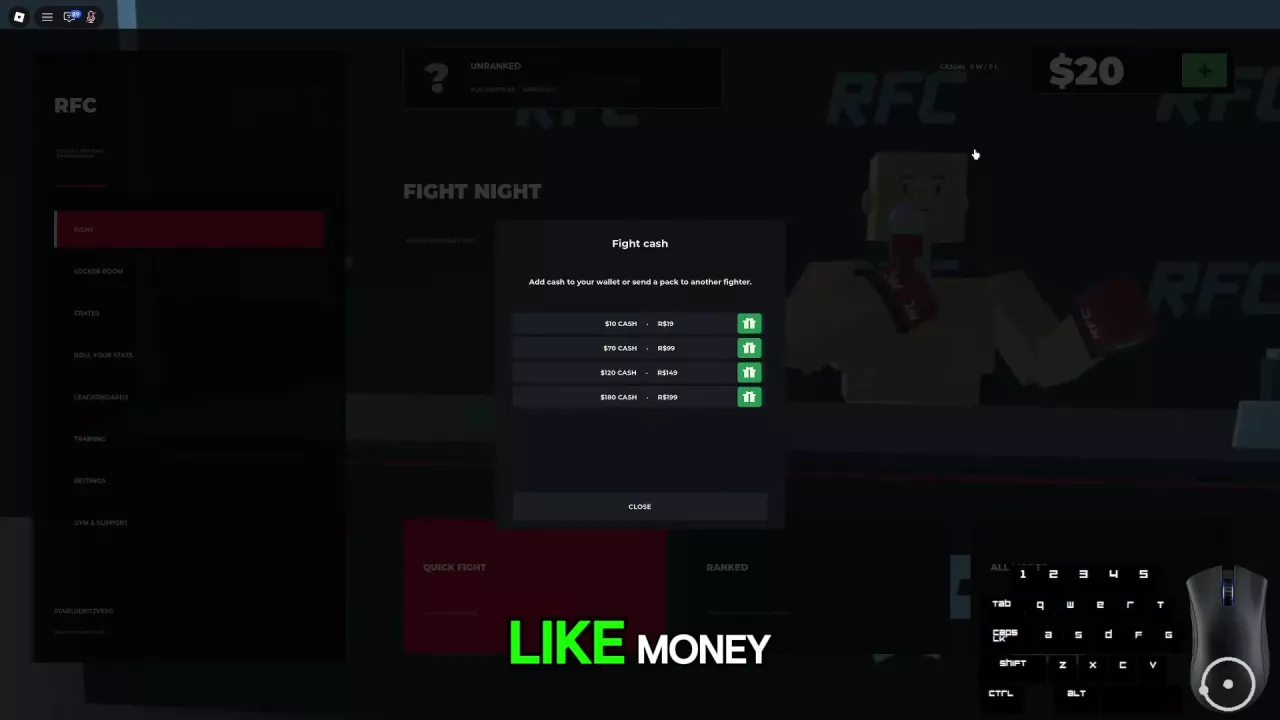
Fight cash menu with four Cash packs, Robux prices, and green gift buttons.

Match wins award 10 Cash per win. Other sources include Fight cash packs and duplicate crate payouts, with refunds following the corresponding crate’s rules.

Select the plus beside your balance to open Fight cash:

Cash pack Robux price
10 Cash 19
70 Cash 99
120 Cash 149
180 Cash 199

Among these four packs, 180 Cash for 199 Robux gives the most Cash per Robux. 10 Cash for 19 Robux has the lowest upfront Robux cost.

Use the gift button beside a pack to start purchasing that pack for another fighter. It does not transfer your existing wallet balance.
Ragdoll MMA Crates and KO Sounds: Costs, Odds, and Previews

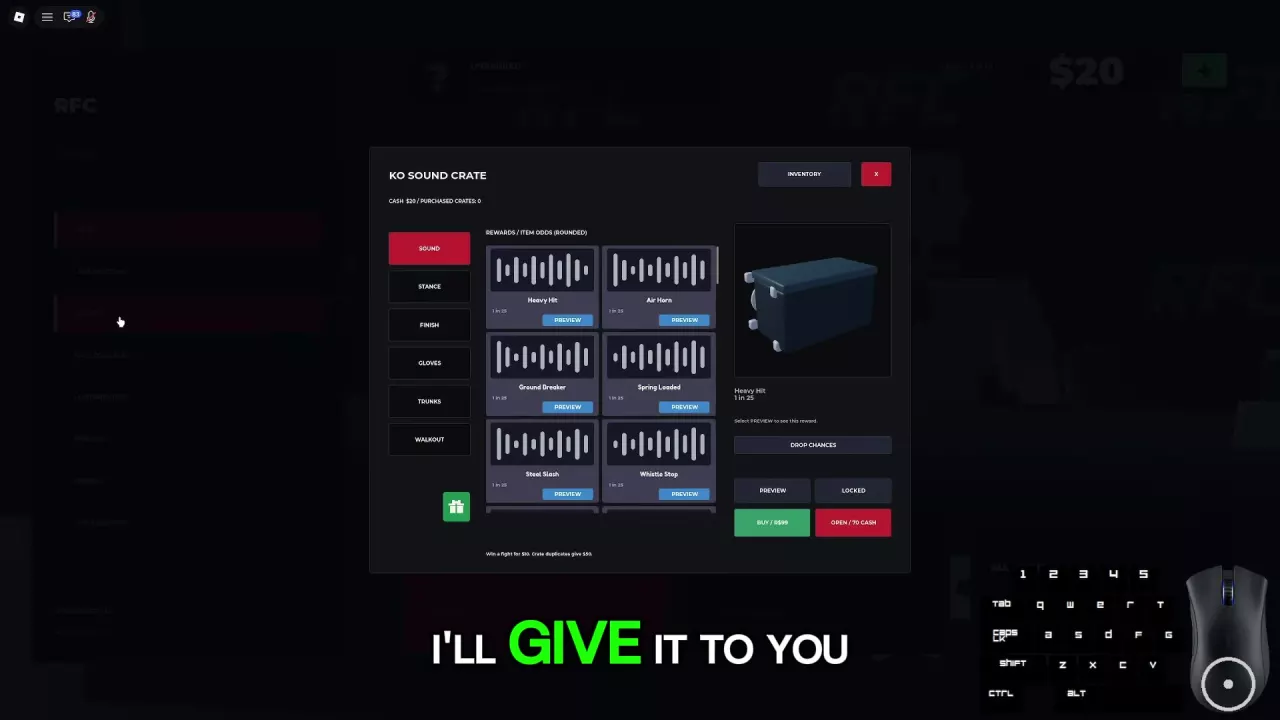
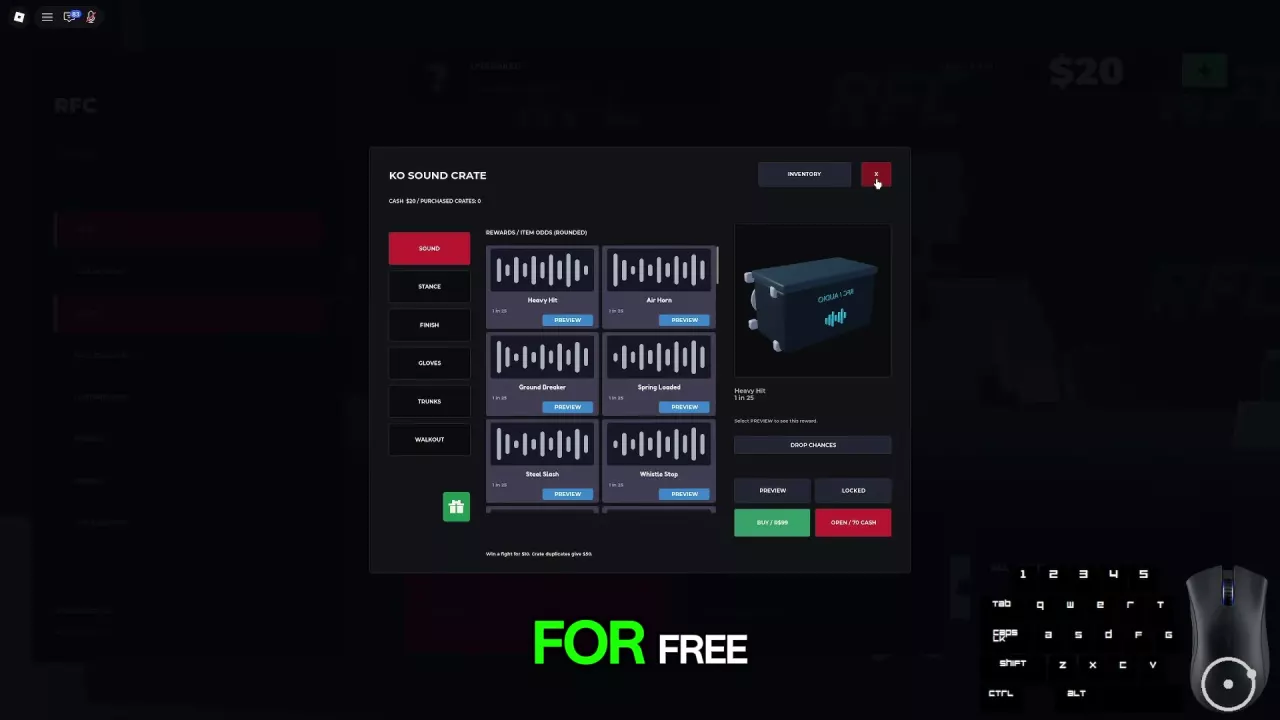
KO Sound Crate menu with category tabs, sound Preview buttons, rounded odds, and purchase controls.
  • Listen first: Open Crates → Sound and select Preview beside a sound. Previewing plays the sound; it does not select your crate reward.
  • Choose a spending option: KO Sound Crate offers Open for 70 Cash or Buy for 99 Robux. These are separate options.
  • Duplicate payout: A duplicate KO Sound Crate reward returns 50 Cash. If a 70 Cash opening gives a duplicate with that payout, the net cost is 20 Cash; you still need 70 Cash upfront.
  • Read individual odds: Heavy Hit, Air Horn, Ground Breaker, Spring Loaded, Steel Slash, and Whistle Stop each display rounded odds of 1 in 25, approximately 4%. These six sounds are part of the reward pool, and the odds do not guarantee a particular sound within 25 openings.

Ragdoll MMA Customization: Gear, Tattoos, Jewelry, and Celebrations

Crates menu with Gloves and Trunks categories on the left and Inventory at the top.

These features change your appearance or celebration without improving combat stats:
  • Gear styles: With Premium Fight Gear already unlocked, mix gloves and trunks from Satin, Gold Trim, Camo, Lightning, and Heritage, preview your fighter, and save the loadout. The pass is listed as not for sale.
  • Gear colors: Fighter Colors separately unlocks glove and trunk colors, including a matching-color option. Premium Fight Gear does not include this color unlock.
  • Tattoos: With Tattoo Studio unlocked, choose from six designs for the arms, chest, back, and legs. Adjust placement, size, and ink opacity, then preview and save.
  • Jewelry: With Jewelry unlocked, mix chains, watches, and diamond stud earrings, then save your look.
  • Celebrations: With Victory Pack already unlocked, choose Double Fist Salute, Champion Flex, or Respect Bow in the menu for your post-fight celebration. The pack is listed as not for sale.

Ragdoll MMA Game Passes: Prices, Benefits, and Choices

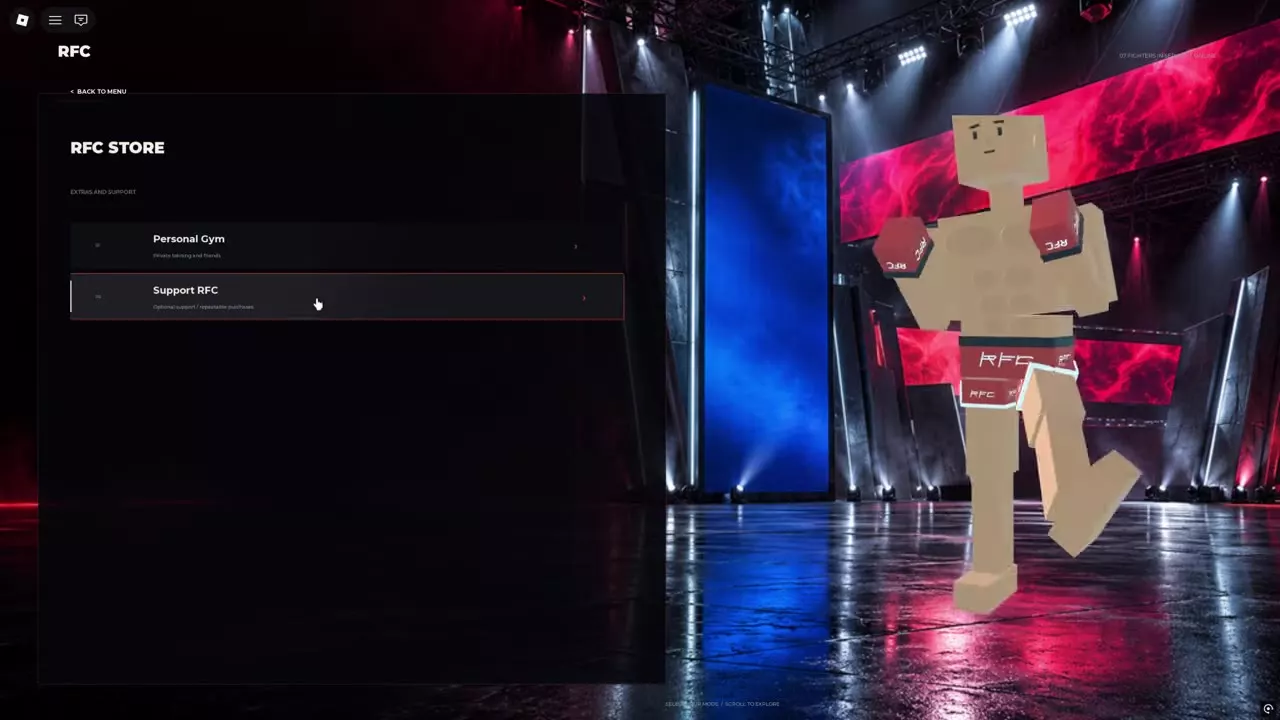
RFC Store with separate Personal Gym and Support RFC options under Extras and Support.
Pass Choose it for Listed price
Personal Gym Hosting private training 249 Robux
Fighter Colors Glove and trunk colors 199 Robux
Tattoo Studio Tattoo editing 199 Robux
Jewelry Chains, watches, and earrings 299 Robux

These four passes are listed for sale. Premium Fight Gear and Victory Pack are listed as not for sale.

None of the six passes grants a direct combat stat advantage. If you only want to recolor your equipment, choose Fighter Colors; the separate Premium Fight Gear unlock provides gear styles.

Scripts

NittyHub

A Ragdoll MMA script interface with combat, flight, and server controls.

Recent articles

FAQ

Why do Q and E punch instead of kick?

You are using their grab-mode functions: Q switches the left arm to punching, and E switches the right. Outside grab mode, they control left and right kicks. Use R/T for guided legs while gripping. See the PC controls for inputs by combat state.

Does falling down mean I lost the fight?

No. An ordinary fall can lead to more ground fighting or a get-up while the round remains active. Check the formal result for the winner and ending type. On PC, Space requests a get-up, but it does not guarantee escape from an opponent’s hold. See ground combat.

Do I need Personal Gym to practice or join a friend's gym?

You can use free Guided Training lessons without hosting a Personal Gym. For a friend’s private gym, the host needs the pass and invited guests join free; you must be Roblox friends and currently in Ragdoll MMA. Compare training options or Personal Gym access.

Can I use purchased Cash for every stat reroll?

Do not assume a Cash pack satisfies every reroll requirement. The selected ROLL button may require Cash, eligible Cash, or Earned Cash. The 30 Earned Cash interface also displays Paid Rolls Unavailable. Use the currency requirement on your active button when planning a reroll budget.